Iteration 5 -- Brainstorm and Lock-in -- Conor Gleeson
Get link
Facebook
X
Pinterest
Email
Other Apps
Iteration 5 Brainstorm and Lock-in
The Brainstorm
As the end of the semseter approached we made plans for a "lock-in" this was where at the end of the semester after all of our other projects and assignments were finished and before our exams started where we would set aside time to focus only on the HRV project. We set a date for the 7th and 8th of May where we would all come together so work on the project and get it all the parts we'd worked on so far put together into one package.
We began with a brainstorm a few weeks before the lock-in would take place. This brainstorm had several parts to it. One was to come up with ideas for how we could include biofeedback to the user as to the state of their HRV. The other was to divy up the work into who would work on which parts of the projects.
This was the final result of the brainstorm. Here we had laid out what we knew about our design pattern for sending and reciving data wirelessly which we had been working on for the semseter. We decided on two versions of biofeedback for the lock-in. One would be based on a wave-machine, we came accross videos of a wave machine on Youtube and decided that by changing the ferequency and intenssity of the waves could be used to show the current status of a users HRV.
https://youtu.be/WVzH6fd3bjI?si=ntUZehjcu10ZmIpO
Here is an example of a wave machine, it is made by mixing coloured water and some kind of oil to give a satisfying and mesmerising effect.
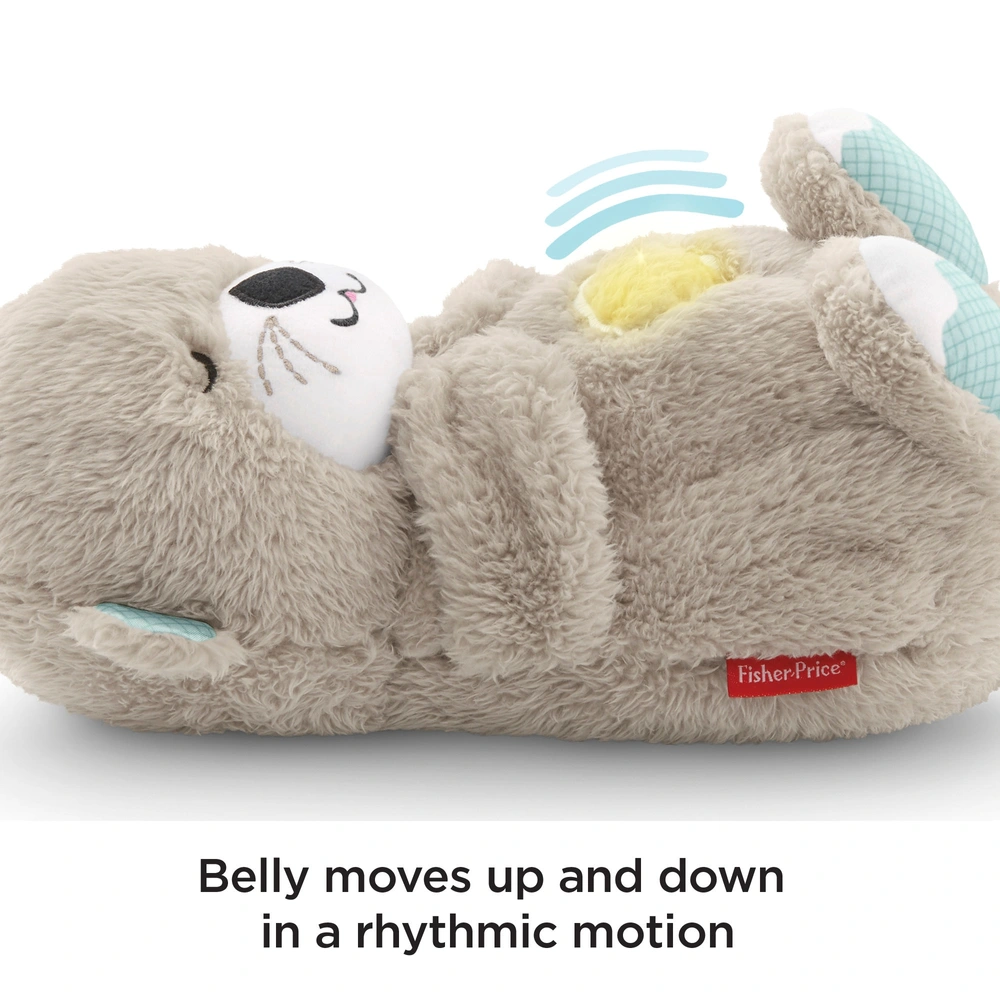
The other biofeedback option was for a teddy bear. The idea was for the teddy to "breath" using a motor to follow the useres HRV and give feedback on its current state. The teddy would breath faster or slower based on the current situation of the users HRV. The teddy we decided to go with was an otter (cute 'lil guy) that already had had breathing functionality built in.
We then broke down the tasks that needed to be done and devied up the groups to work on the two versions. I would be working on the teddy.
The Lock-in
With the plan made we could get started on our two day lock-in. Our first port of call was to make sure we could control the motor from the teddy with our Microbits. With the motor removed from the teddy we could then connect it up to a Mircrobit breakout board that would allow us to control the motor, along with a simple bit of code we could get the motor moving using inputs from the Microbit.
https://youtu.be/aKuaCDnbW2I
With the basic movement down we could begin looking towards the HRV side of things. Adam had been busy 3D printing a selection of options to hold the pulse sensor to the users finger including, a ring, a wristband and a clamp to go on the tip of the finger. In the end we chose the clamp as it gave the most consistent results and was the most simple to use.
Now with a finalised way of getting the HRV results I began working on getting the HRV sensor to our MQTT server so we could view the results on our phones, and then send it to the teddy so it could respond to changes in the values. This involved combing our existing code for monitoring HRV and the code that we had used for the MQTT devlopment that origninally sent the roll value of the Microbit to the MQTT server and app.
The HRV logic remained unchanged with the useful feature for calibrating the max and min of the heart rate that was devised earlier.
Here is the output from the HRV monitoring Microbit with the users heart rate displayed at the bottom and the HRV displayed at the top which is rising and falling in time with the users breathing.
Then I added in the Roll sending code that we had been using before and with some minor changes to the values it output it would now send out the HRV values to the server instead of the roll. With this done we could now view the HRV values in our MQTT apps and begin working on sending these values from the server to the teddy Microbit.
Here is an example of the output to our MQTT app. In the input tab which is taking the messages sent from the HRV Microbit the HRV values can be seen next to "i1" which is out Microbit. These are fist sent to our Microbit cloud boatd before going to the server.
Next we moved to getting the HRV values to the teddy. This was done by modifying the server code to now send out the HRV values after recieving them over radio and then use our already developed code to recieve these on the teddy Microbit.
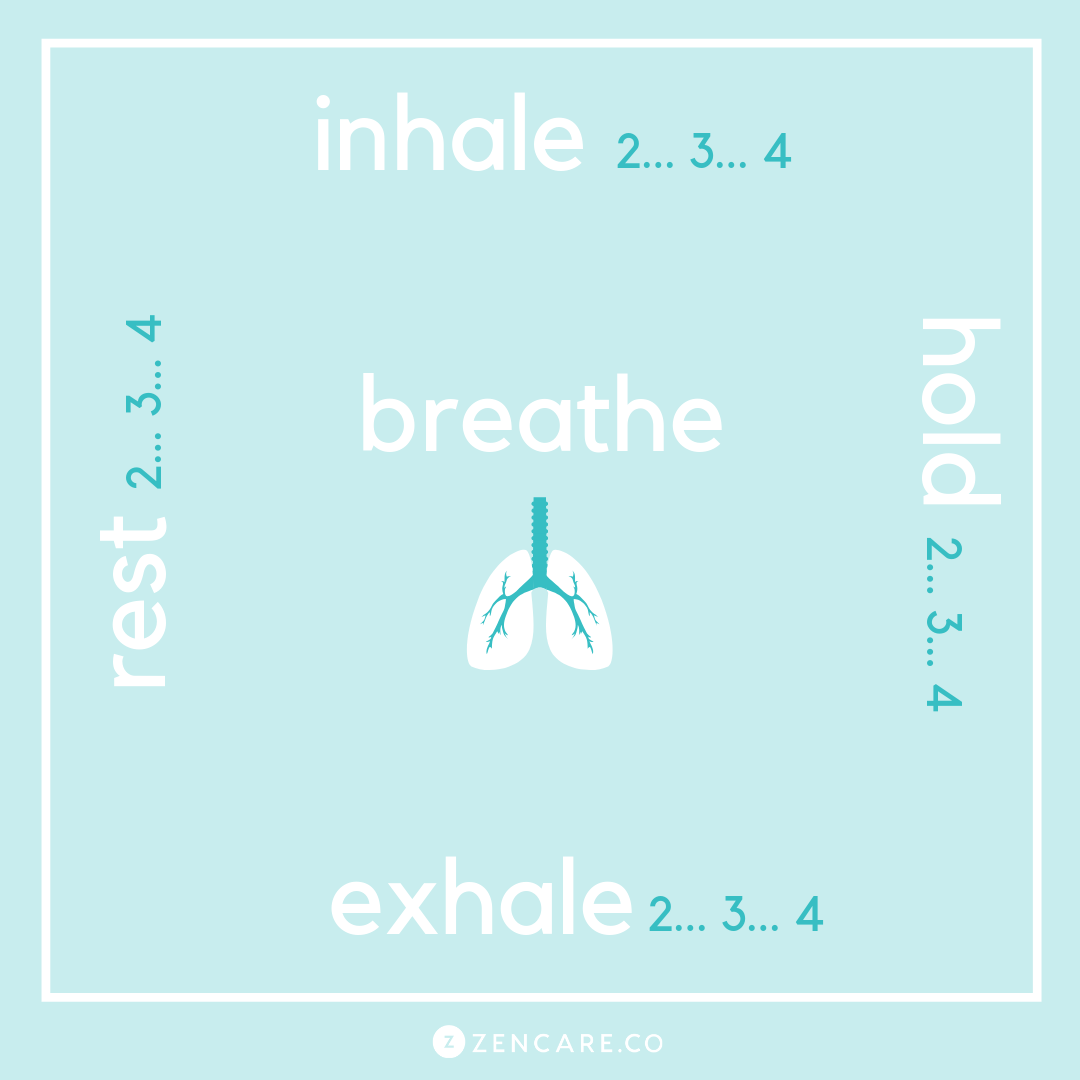
Emma and Eric added the code to the teddy bear to use the recived values to control the motor of the teddy. We decided on a series of range of values for the HRV to control the motor. Run the motor at a slow speed to show a good HRV value and run the motor faster and faster as the users HRV got to a worse range. This was activated by pressing the "A" button on the Microbit. By pressing the "B" button the teddy enters a "pacer" mode, this was based off of our first motor code, this mode allows the user to follow a square breating techinique.
This helps the user to slow their heart rate and relax thus improving their HRV. This took some work with the speed of the motor and the pauses in betweent o get it into a good square breating rythm.
What is it? Heart rate variability (HRV) is the measure of the variation between heartbeats. It is controlled by your autonomic nervous system (ANS). This system operates automatically and regulate process such as the heart rate and other bodily functions that are are not under conscious control. This system is broken into two branches the flight or fight (which preparing the body for action and stress) and the rest + digest (which promotes relaxation + recovery). HRV is influenced by the ability to smoothly shift between these two branches. High HRV: Larger difference between successive heartbeats - Indicates a more flexible and adaptable autonomic nervous system. Low HRV: Smaller differences between successive heartbeats - Indicates a less flexible autonomic nervous system. ...
Lock In day 1 Briefing We started the day with by getting the project briefing on what the end result should be. We decided to make a system where we could read in heart rates using a Microbit and then send that via the cloud to a website that would display real time data from the heart sensor. Kanban planning Once everyone had a clear understanding of the briefing , we began defining a KanBan chart so that we could organise and allocate tasks. This consisted of Backlog, Doing, Done, Testing and Complete columns where we could quickly move tasks into different columns as they are completed. Group allocation We began breaking down the steps required to complete this pipeline. This consisted of many different areas such as creating the cloud infrastructure on AWS, reading data on a micro bit and radio sending it to a raspberry pi so that it could be sent to the cloud infrastructure, creating a u...
Lab 2 - Simple Heartrate Sensor Demo For the second lab, our task was to explore the capabilities of the Micro-Bit platform by connecting an external sensor to the microcontroller through its' GPIO pins. Readings were aquired through a simple serial read script created in Microsoft Makecode. In this case, the external sensor measures heart rate / pulse by shining a bright green LED light into skin tissue and measuring the light reflected back. As the heart circulates blood around the body, a small variation in pressure occurs within blood vessels, arteries and capillaries. This pressure variation can absorb more or less light at various stages of the heartbeat and is the primary mechanism of the HRV sensor. By detecting fluctuations in light reflected back from the body, it is possible to get an acurate reading on our heartbeat. A similar mechanism of measuring bloodflow is used in other 'smart' technology such as smart watches, fitness bracelets and even in professional me...






Comments
Post a Comment